I bought a £6,700 M5 Max (128GB RAM, 4TB SSD) and immediately had to build its fan control
Pete Gypps20 May 2026 · updated 09 October 2026
11 min read2,165 words
How a single hour with a new M5 Max and an MLX inference job sent me down a thirty-six-hour rabbit hole that ended with a custom fan-control daemon, a CFRunLoop power-event monitor, and the discovery of a macOS daemon Apple does not want you to know about.
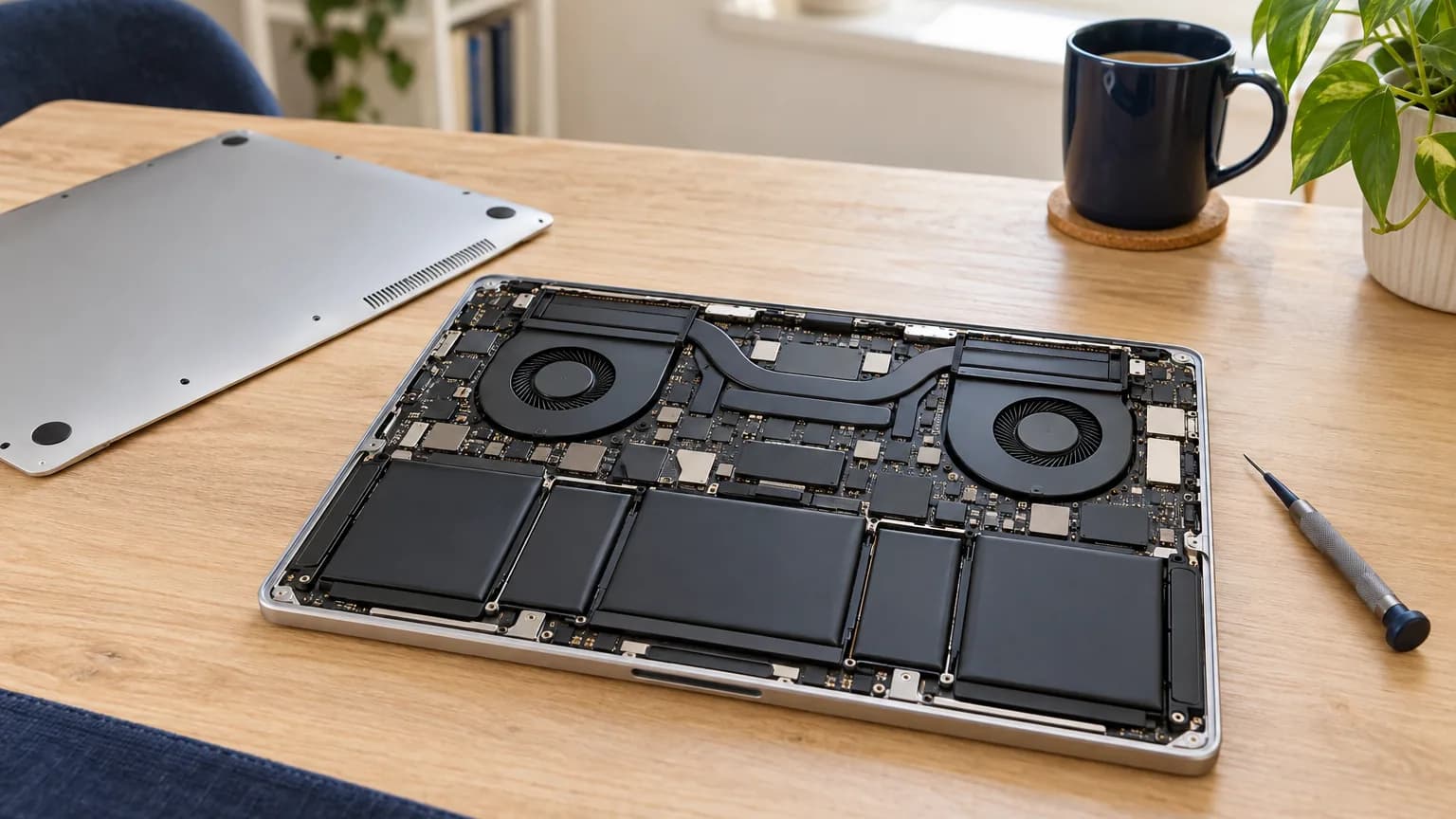
The new M5 Max, £6,700, 128GB unified RAM, 4TB SSD. Twelve performance cores. Forty GPU clusters. No working third-party fan control on day one.
The new MacBook Pro 16" M5 Max landed on my desk last week. £6,700-and-change once the boxes were ticked, 128GB unified RAM, 4TB SSD. Twelve performance cores. Forty GPU clusters. Apple’s marketing said “designed for the most demanding professionals.” Fine. I had a stack of demanding workloads waiting.
I plugged it in, restored from a backup, fired up LM Studio, started a meaty MLX inference run, and sat back to watch. The fans never really opened up.
The chip was sitting at 82°C while the fans dawdled along at 1,800 RPM. The 140-watt MagSafe was pinned at 140W output and the battery was discharging while plugged in. macOS was being macOS, quietly cooking the chip while pretending everything was fine because Apple believes you do not need to see your own machine’s temperature, let alone control its cooling.
I went to the App Store. I went to Tunabelly’s site (TG Pro). I went to Crystal Idea (Macs Fan Control). I checked the open-source projects, Stats, smcFanControl, mactop. At the time of writing, nothing fully supported the M5 Max yet. Macs Fan Control had a beta you could try. TG Pro had not yet shipped its M5-aware build (it has since). Stats read the sensors but did not write fan targets. Macs Fan Control’s beta worked, sort of, when it felt like it.
I had two choices. Wait for the third-party developers to catch up, maybe weeks, maybe months for a chip that just shipped. Or write something myself. I wrote something myself. This is what I learned.
What it actually solves
If you do not run sustained AI workloads on a laptop, none of this matters to you. Apple’s stock fan curves are tuned for “average user” and average user does not pin twelve performance cores plus the GPU at 100% for four hours straight while VMware and ffmpeg fight for the leftovers.
Heavy MLX inference + a video transcoding job + a virtual machine + a few browser tabs of Slack and you have:
Silicon at 80-95°C for hours at a time
Battery discharging at 7W net even with the charger plugged in (the chip pulls 147W; the charger supplies 140W; the battery covers the gap)
Stock fan curves that take their sweet time to react, because Apple optimises for noise over throughput by default
And then if it gets bad enough (temps high, battery low) macOS makes its own decision. It forces emergency sleep. You come back to a dead laptop, fans pinned at whatever the firmware decided, and a system that will not accept user fan-control writes until something resets. That happened to me. Overnight.
So I needed something that would run fans aggressively when it actually matters, based on real CPU/GPU/memory/NVMe temperatures, not Apple’s average-user heuristics. Detect AI workloads (LMStudio, llama-server, mlx, ollama) and pre-ramp fans before temps climb, not after. Warn me when the workload exceeds the charger so I could pause something instead of waking up to an empty battery. Log everything, indefinitely, so I would have data the next time something went wrong. And not fight Apple’s silicon-level thermal protection, those safety nets exist for a reason; I wanted to layer above them, not under.
I called it cor-cool. Started writing Rust against the IOKit AppleSMC user client. I thought it would take a weekend.
The first wall: nothing landed
I got sensor reading working in about two hours. Forty-six known SMC keys for an M-series chip. Decoded flt (32-bit IEEE float), sp78 (signed 8.8 fixed-point), ui8. Wrote a curve evaluator. Plumbed it into a launchd daemon.
Then I tried to write to F0Tg (the fan-target SMC key) and the kernel returned success, and the fan did not move. I assumed I had the bytes wrong. The SMC’s wire format is a Mach IPC struct with a data_type field that I had set to zero. I tried various values. Nothing.
Three hours in I started reading smcFanControl’s source. Apple has a Developer ID Application certificate; smcFanControl ships signed by Crystal Idea’s certificate; my binary was ad-hoc signed because cargo build --release does not sign anything by default. I burnt an hour signing with my own Developer ID and tried again. Still nothing.
I added --options runtime --timestamp to the codesign step. Wrote the binary. Read it back. The fan moved. I had won, briefly.
The second wall: it stopped working again
A few hours later, fan control just... stopped. The daemon was running. The signing was correct. Sensors were still being read. F0Tg writes returned success. The fans did not move.
I went deep. I added a “writes not landing” detector that compared what we wrote to what F0Tg reported back on the next iteration. If five iterations diverged in a row, the daemon would log loudly and stop trying. That confirmed what I already suspected: the kernel was lying.
Apple’s silicon-level firmware will sometimes seize fan control. Thermal emergency. Low battery. Hardware-protective shutdown sequences. When that happens, you can write F0Tg all day and the firmware just shrugs and ignores you. What I did not realise yet (and what cost me most of a weekend) was that the firmware is not actually what is blocking you most of the time. It is a macOS daemon called thermalmonitord. And it is running right now, on every Mac, and Apple has never documented its existence in a way that is useful.
The third wall: thermalmonitord
After two days of building out the rest of the project, workload-aware boost, sensor-history logging, emergency override at 90°C, sleep/wake handling via IORegisterForSystemPower, I had a working daemon that worked maybe 60% of the time. The other 40%, writes did not land. I shipped it as “cor-cool detects when writes are not landing and steps aside” and moved on, thinking I had figured out the trick.
Then yesterday it stopped working entirely. Would not accept any writes. Survived a reboot. Wrote F0Tg = 5,000 (kernel returned success) fan stayed at 1,350 RPM.
I had uninstalled Macs Fan Control earlier in the week. I had never thought about it. The fans had been working fine. Wait, had they?
I went looking, properly this time. Found a research repository on GitHub from someone called agoodkind titled macos-smc-fan that documents exactly what happens. There is a daemon called thermalmonitord running on every macOS install. It enforces what Apple calls “System Mode” (mode = 3) on the fan-control SMC keys. When a fan is in System Mode, the kernel accepts writes to F0Tg, returns SmcSuccess, and then immediately reverts the value back to whatever the daemon wants. That is why writes appear to succeed but do not take effect.
To actually control the fan, you have to first write to F0md (lowercase, on M5 Max, uppercase F0Md on M1-M4) and set it to 1 (manual mode). On M3/M4 Pro and Max you also need to write Ftst = 1 first to unlock the mode key. On M5 Max, the Ftst key does not even exist, you can write F0md = 1 directly. I had been writing the wrong key the whole time.
And the reason it worked when Macs Fan Control was installed: MFC’s privileged helper had been setting F0md = 1 in the background, the standard pattern its developers reverse-engineered years ago for the older chips. When MFC was uninstalled, the mode reverted to 0, and writes stopped landing. The brief windows my own daemon worked were the windows where MFC’s helper had left the mode in manual. On M5 Max, that mode key is F0md (lowercase). Set it explicitly and the kernel does what you tell it.
I added F0md and F1md to the write whitelist, made the daemon set them on startup, and re-set them after every wake event (because RTKit resets the mode during sleep transitions). And then, finally, the fans did what I told them. Every time.
What it actually does now
The daemon runs as root via launchd. It reads every SMC sensor on the Mac, 446 keys on my M5 Max, including the 21 Power Manager dies (Tf**) that read 95°C+ by design because they are sitting right next to switching transistors. It aggregates those readings into five “curves”:
cpu: average of the P-core cluster sensors (Tp**), matching what Macs Fan Control labels “CPU Core Average”
gpu: average of the GPU cluster sensors (Tg**)
memory: average of the memory module sensors (Tm**)
nvme: max of the SSD sensors (hottest drive wins, drives have independent thermal profiles)
system: average of every other temperature sensor in plausible range, excluding the always-hot embedded PMU silicon
Each curve has user-tunable breakpoints (config TOML in /etc/cor-cool/cor-cool.toml). Each fan subscribes to any combination of curves and runs at whichever curve demands the highest RPM. There is a hard floor (1500 RPM, cannot be lowered by config) and an emergency override (any curve hitting 90°C forces fans to max).
There is a workload detector that watches for LMStudio, llama-server, mlx_lm.server, and ollama processes and adds +500 RPM pre-emptively. There is a power-draw monitor that reads PSTR (system total watts) and compares to the connected adapter’s wattage. There is a longitudinal sensor log (every 20 minutes for up to 3 years) and an export tool that bundles 30 days of thermal history into a tarball you can email to Apple support.
There is a menu bar app that shows real temperatures, manual fan control with 100-RPM resolution in the 2,500-3,500 quiet zone, and red warnings for things that actually matter: “your draw exceeds your charger”, “this is the exact pattern that causes forced emergency sleep”, “the firmware has locked fan control, try a full shutdown.” It is free of telemetry. Zero analytics. Runs entirely on your Mac. Your sensor data stays yours.
COR Cool in the menu bar, live temperatures, fan speeds, 408 sensors. Both fans at 3500 RPM (manual), every sensor below 51°C while the M5 Max runs a sustained inference workload.
What I learned
Apple does not want you to control your fans. Not as a vendetta, but as a deliberate design choice. The stock curves are conservative, opaque, and prioritise “quiet” over “let me actually use this £6,700 chip.” The mechanisms to override them exist: thermalmonitord literally has an unlock path documented nowhere, but they are not exposed, not documented, and only reverse-engineered by a small community of fan-control devs.
Commercial fan-control tools work because they reverse-engineered this years ago. TG Pro and Macs Fan Control both set F0md = 1 for you. They do not tell you, because there is nothing useful to tell most users. But that is why your old Mac’s fan control “just worked” without you knowing why, and why it stops working on a brand-new chip until those developers ship a new build that targets the new mode-key casing (lowercase on M5). TG Pro’s M5 build has since landed; Macs Fan Control’s M5 support is still in beta on GitHub at time of writing.
If you run sustained AI workloads, you exceed the 140W MagSafe. This is not a defect. Apple ships the 140W charger because most workloads stay under it. M5 Max can sustain 140W+ for hours under heavy ML inference. The battery covers the gap. If you do not notice and do not intervene, eventually battery + heat together force a forced emergency sleep and you lose state.
Do not trust silence from a kernel call. SmcSuccess does not mean the value changed. Read back. Compare. If they diverge, something is wrong upstream and pretending otherwise just hides the bug.
“Software you could not buy is worth building.”
I lost maybe forty hours to this. I built something I can use every day for the next four years, that solves a real and recurring problem, and that no commercial alternative did when I needed it. That is a good trade. And when I am done polishing it for release, I will ship it commercially because plenty of M5 Max owners are going to have the same problem and the same lack of options.
What is next
cor-cool is currently in beta on my one M5 Max. I am testing the install/uninstall flow, polishing the menu bar, getting the legal docs right, and preparing for a v1.0 release on corsolutions.co.uk/cor-cool. Notarisation pipeline, Sparkle auto-update, DMG installer, all wired but not yet exercised end-to-end.
If you have got an M5 Pro, M5 Ultra, Mac Studio M2/M3 Ultra, or any other Apple Silicon Mac and you want to help test before the public release, drop me a line at enquiries@corsolutions.co.uk.
The hardest part of this whole thing was not the IOKit FFI or the safety architecture or the curve evaluator. It was finding the one undocumented SMC key that makes all the difference. Sometimes the hardest bugs are the ones that look like they are working until you uninstall the other vendor’s product.
Cloud AI can connect to your inbox. It cannot actually read it. Here is what happened when I gave up waiting for the vendors to fix that, and built a local-first AI assistant for my own mailbox on an M5 Max, 125,000 messages, a knowledge graph, all the AI inference running on my own machine, and the things you only learn when you try.
I needed to give a UPS maintenance firm a reporting tool that worked offline, in a data-centre basement, on a laptop with no signal. The answer was a feature buried in Adobe Acrobat’s JavaScript API that has, I checked, exactly two YouTube videos explaining it.
Our native macOS app for running many coding agents at once: Claude Code, Codex, Cursor, Aider, Copilot and Windsurf side by side in one multi-pane deck, with sessions that survive closing the app.