Deck View: the workspace we built around Claude Code
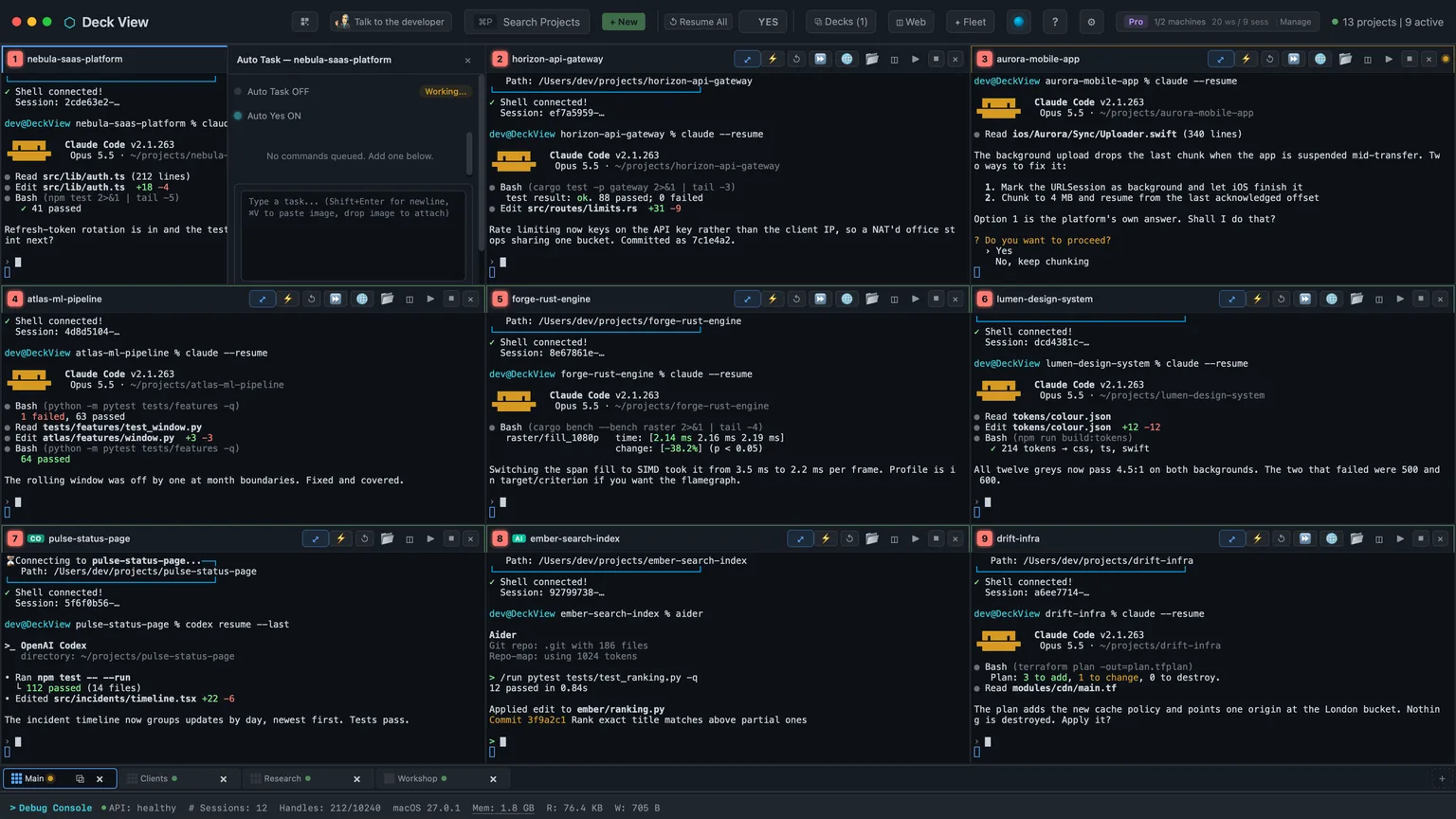
Our app for running many coding agents at once, on Apple Silicon Macs and now Linux: Claude Code, Codex, Cursor, Aider, Copilot and Windsurf side by side in one deck of live windows.
Auto Yes answers Claude Code’s permission prompts across a whole deck of agents, keeps pace as Claude Code changes them, and leaves the big questions to you.

Run more than a couple of Claude Code agents and you’ll know the feeling. You come back from a meeting expecting progress and find half of them sat on a question, waiting for someone to press Enter.
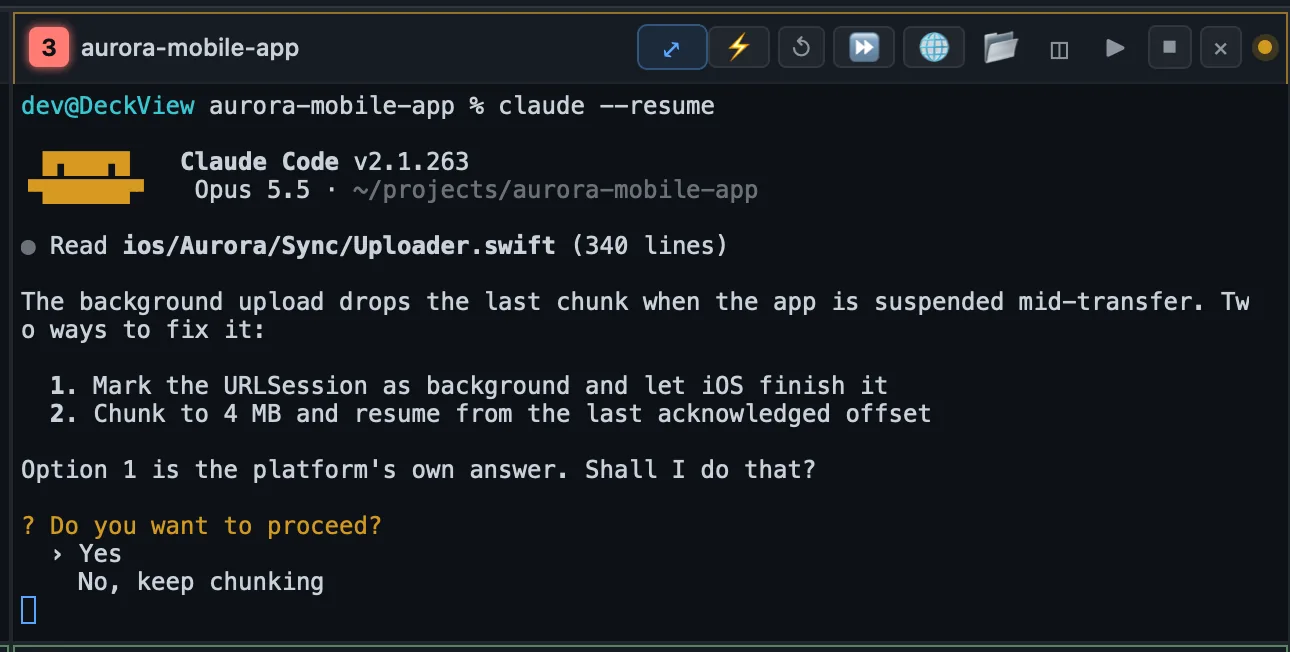
Claude Code asks before it edits a file or runs a command, and with one window that’s a good habit. Across a deck of nine it’s a bottleneck, and the bottleneck is you. Auto Yes is how Deck View takes you out of it: switch it on in a window and it answers those permission prompts for you, so the work keeps moving while you’re away.

The rule that matters most: Auto Yes gives a single yes and nothing more. Claude Code’s menus often offer a second option along the lines of “Yes, and don’t ask again”, which widens what Claude can do for the rest of the session. Auto Yes never picks it. Each answer covers the one action Claude asked about, so switching Auto Yes off really does put you back in charge.
It’s per window, too. Each window has its own switch, and the YES button on the toolbar turns it on for every live window on the sheet in one go.
Some prompts should never be answered by a machine on your behalf: the question asking whether you trust a folder the first time Claude opens it, the approval list for a project’s MCP servers, and an MCP server asking you for input. Auto Yes won’t touch any of them. The window turns amber and waits for you.
That’s the lesson I’d pass on to anyone automating agents: hand over the routine yeses, and keep the ones that change what an agent is trusted with. Auto Yes says yes to whatever Claude asks in that menu, so switch it on where you’d say yes yourself.
Claude Code changes its prompts often: new menu layouts, a second Yes option, statement-style dialogs for subagents, questions that wrap across two lines in a narrow window. Anything that reads the screen has to keep up, and that’s where Deck View earns its keep.
It keeps a near-miss log. Whenever something that looks like a permission menu is on screen and Auto Yes hasn’t recognised it, the layout gets recorded. New Claude Code prompts show up there before anyone notices a window waiting, and when I’ve reported one, the fix has gone out the same day. When we last counted, the log showed 22,913 prompts answered and 54 genuine misses.

Auto Yes runs inside Deck View rather than in each window, so it answers prompts on sheets you aren’t even looking at.
Claude Code now has an auto mode of its own, where its safety check answers its own permission prompts, and Deck View can start every Claude session in it. Auto Yes stays on as the fallback.
All of this is on the stable channel for macOS and Linux. Deck View is at claudedeck.ai, and the overview of the whole app covers the rest of the deck.
Claude Code will keep changing its prompts, and Deck View will keep pace with it.
Read next
Our app for running many coding agents at once, on Apple Silicon Macs and now Linux: Claude Code, Codex, Cursor, Aider, Copilot and Windsurf side by side in one deck of live windows.
Cloud AI can connect to your inbox. It cannot actually read it. Here is what happened when I gave up waiting for the vendors to fix that, and built a local-first AI assistant for my own mailbox on an M5 Max, 125,000 messages, a knowledge graph, all the AI inference running on my own machine, and the things you only learn when you try.
How a single hour with a new M5 Max and an MLX inference job sent me down a thirty-six-hour rabbit hole that ended with a custom fan-control daemon, a CFRunLoop power-event monitor, and the discovery of a macOS daemon Apple does not want you to know about.